| project name: | ingenue |
| project url: | https://github.com/seajaysec/ingenue |
| author: | seajay |
| description: | responsive browser ui for norns. runs on the device alongside maiden. |
| discussion url: | https://llllllll.co/t/ingenue-a-modern-responsive-web-interface-for-norns/74794 |
| documentation url: | https://github.com/seajaysec/ingenue/blob/main/README.md |
| tags: | utility |
ingenue
a responsive browser ui for monome norns. it runs on the device, opens from any browser on your network, and works on phone, tablet, and desktop.
i've been using my norns for years and absolutely love it, and maiden is a fantastic tool, but often when i'm making music it's specifically so i'm not at my computer, and i kept wishing i could reach my phone to install scripts, edit code, manage files, tweak params. so, i built ingenue. it's a browser editor served from the device, rebuilt to be responsive, plus a few other bits i've been scripting over the years that seemed like they'd have a nice home in a responsive web ui.
this doesn't replace maiden, or touch it. ingenue installs as its own always-on service on :7777 and the two sit side by side, so there's zero risk to your setup. if you don't like it, run the uninstall script or remove the folder and you're exactly where you started.
poke around without a norns: seajaysec.github.io/ingenue is a static demo (every device call is faked, so nothing is connected to a real norns, but the ui is the same one that runs on your device).
install
from maiden's matron REPL (no terminal needed):
;install https://github.com/seajaysec/ingenue
then on norns, SELECT → ingenue and run it once to finish setup.
or over SSH:
curl -fsSL https://raw.githubusercontent.com/seajaysec/ingenue/main/install.sh | bash
either way it discovers your dust tree and runs ingenue as a persistent
service on :7777 (always up, like maiden, survives reboots, auto-restarts). then
open http://norns.local:7777/ (or http://<your-norns-ip>:7777/) from any
device on your network.
works on any norns. the installer prefers a
systemdservice; on older ports without systemd it falls back to a boot line you can add. you can override discovery withINGENUE_DUST=/path/to/dust.
the parts i'm most happy with
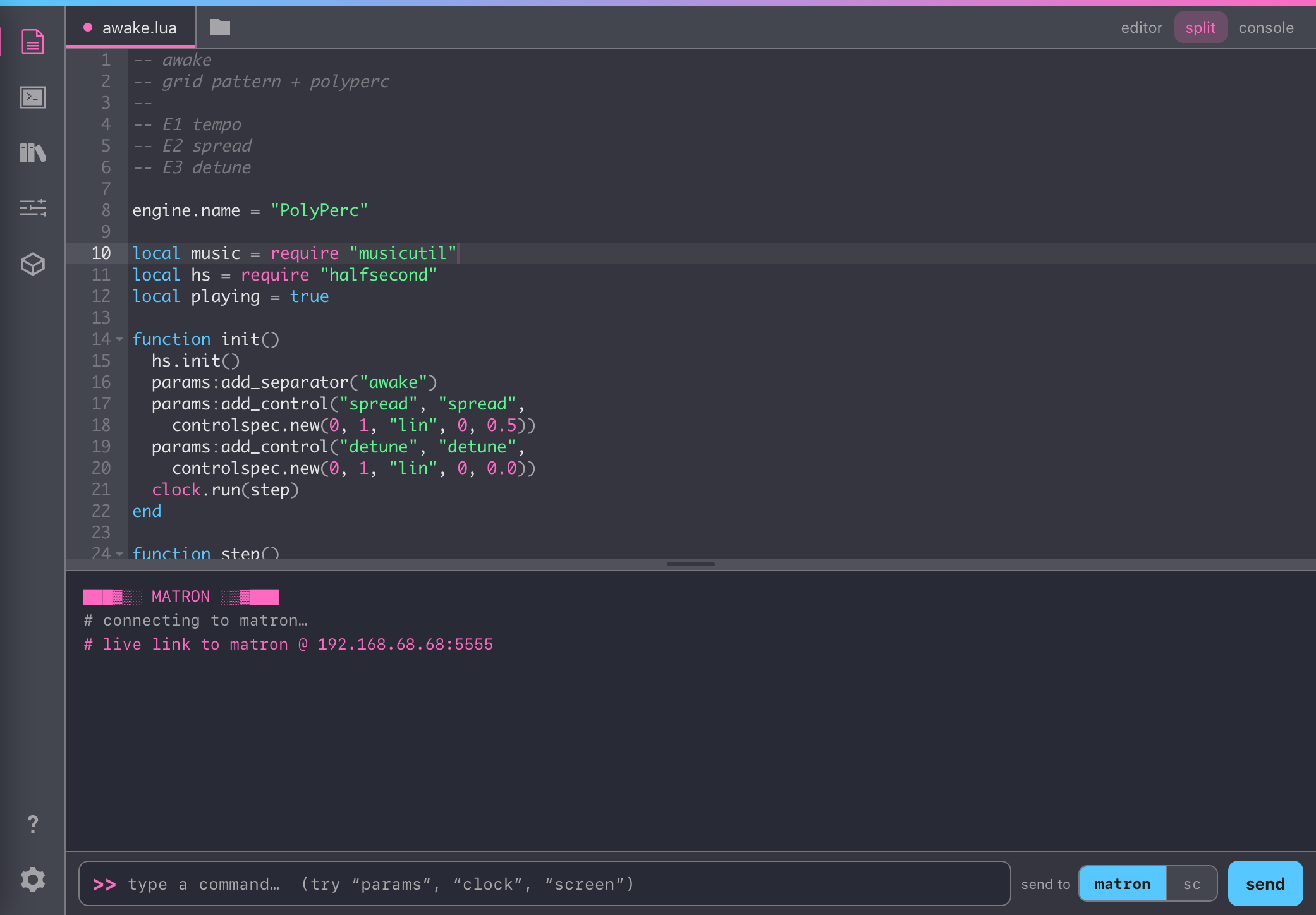
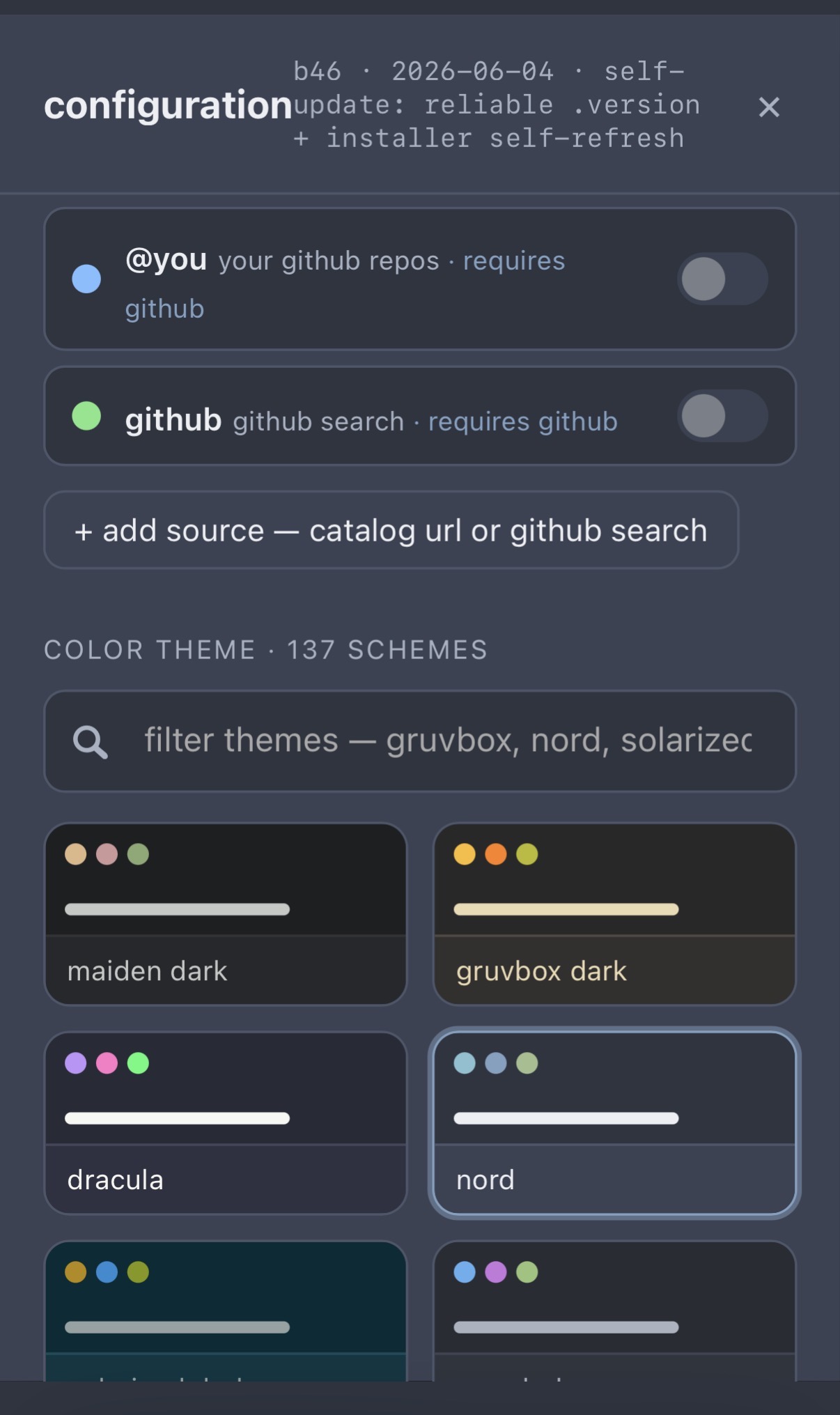
- a responsive ui, with theming (137 schemes: base16 + Catppuccin / Rosé Pine / Tokyo Night, with editor syntax generated from each palette)
- a browser editor (Ace), reading and writing scripts on the device, Ctrl/Cmd-S saves
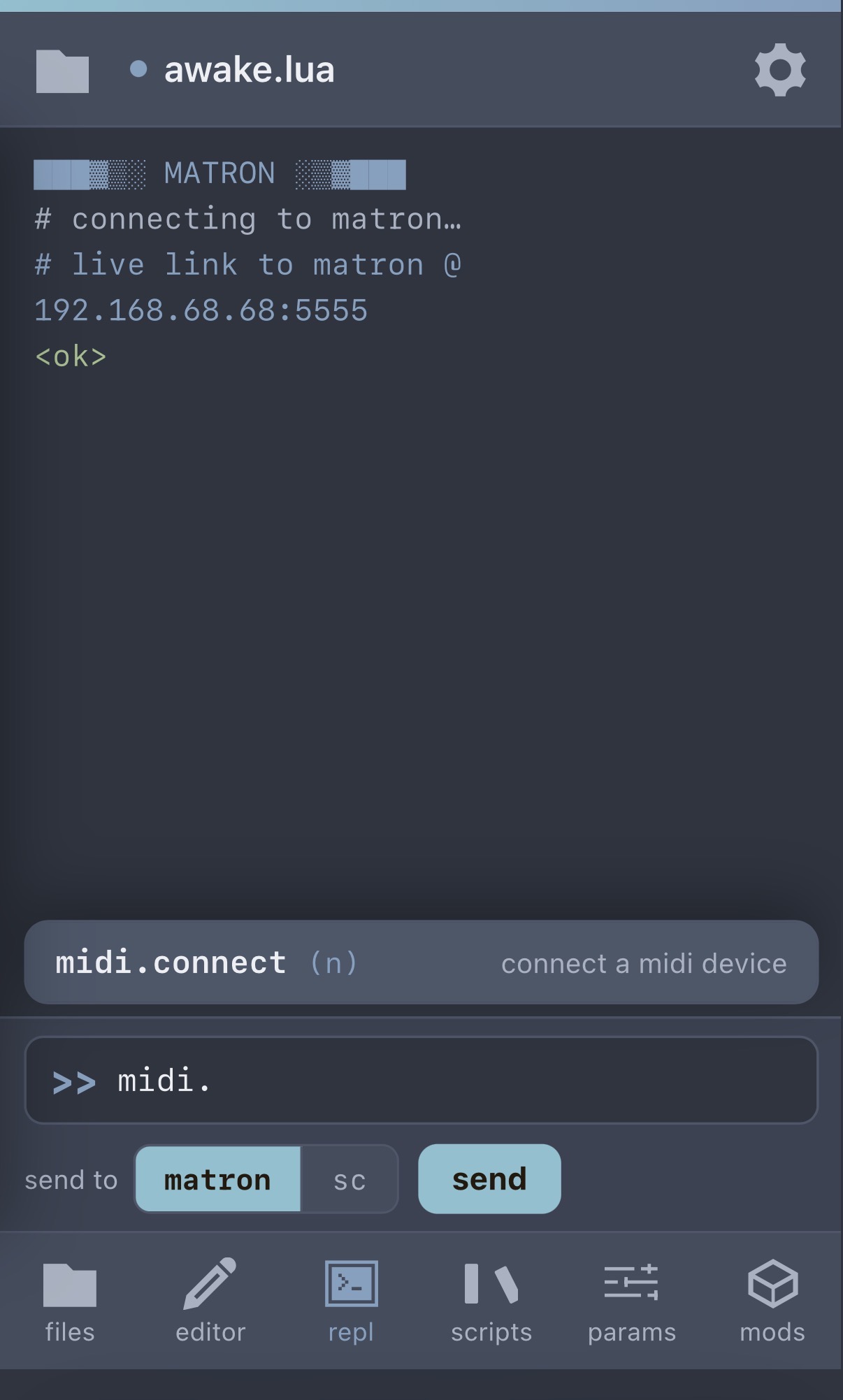
- a live matron REPL over its websocket: run commands, see output
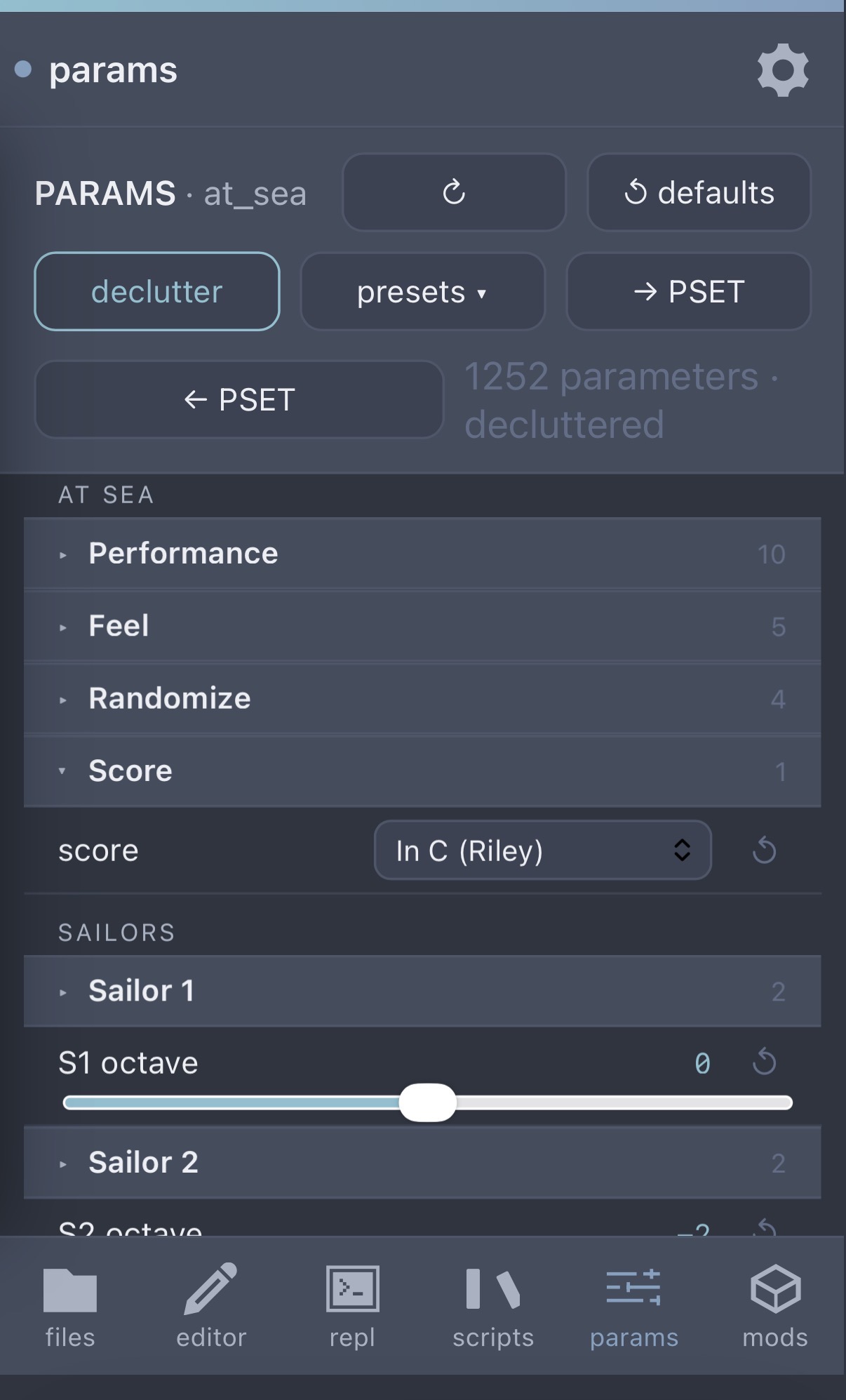
- live on-norns parameter editing in the browser:
- edits go both ways in real time
- nested groups, dropdowns, sliders that show the real formatted values (note names, scales, dB/ms, 1/16, etc.), per-param reset, and a declutter toggle for empty device slots
- on-device PSET management is there, plus browser preset slots and a JSON export/import so you can back up or share a patch with other people using ingenue. preset import is gated to the script it came from, so a preset only loads back where it belongs.
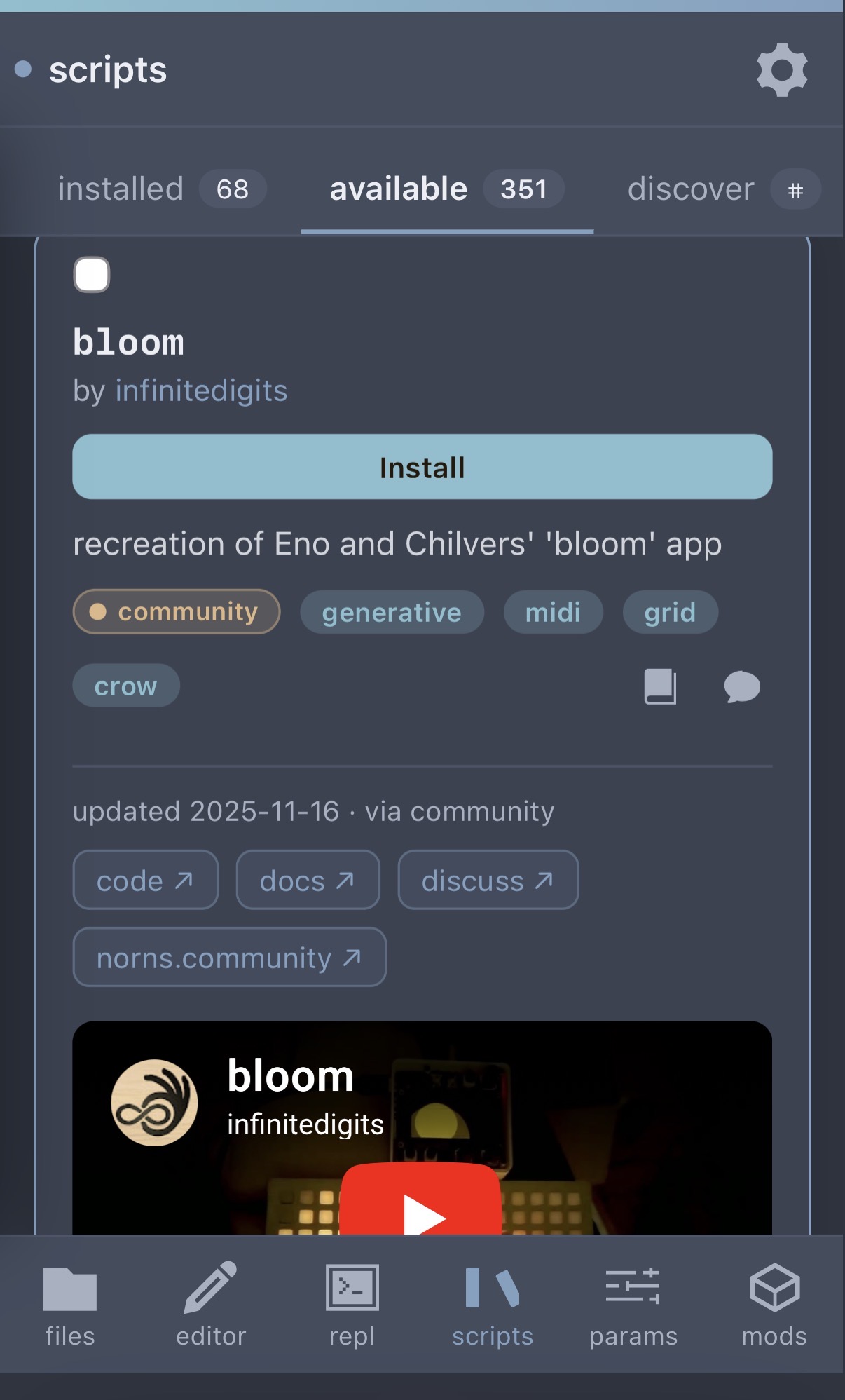
- a script repository browser, made for a touch ui:
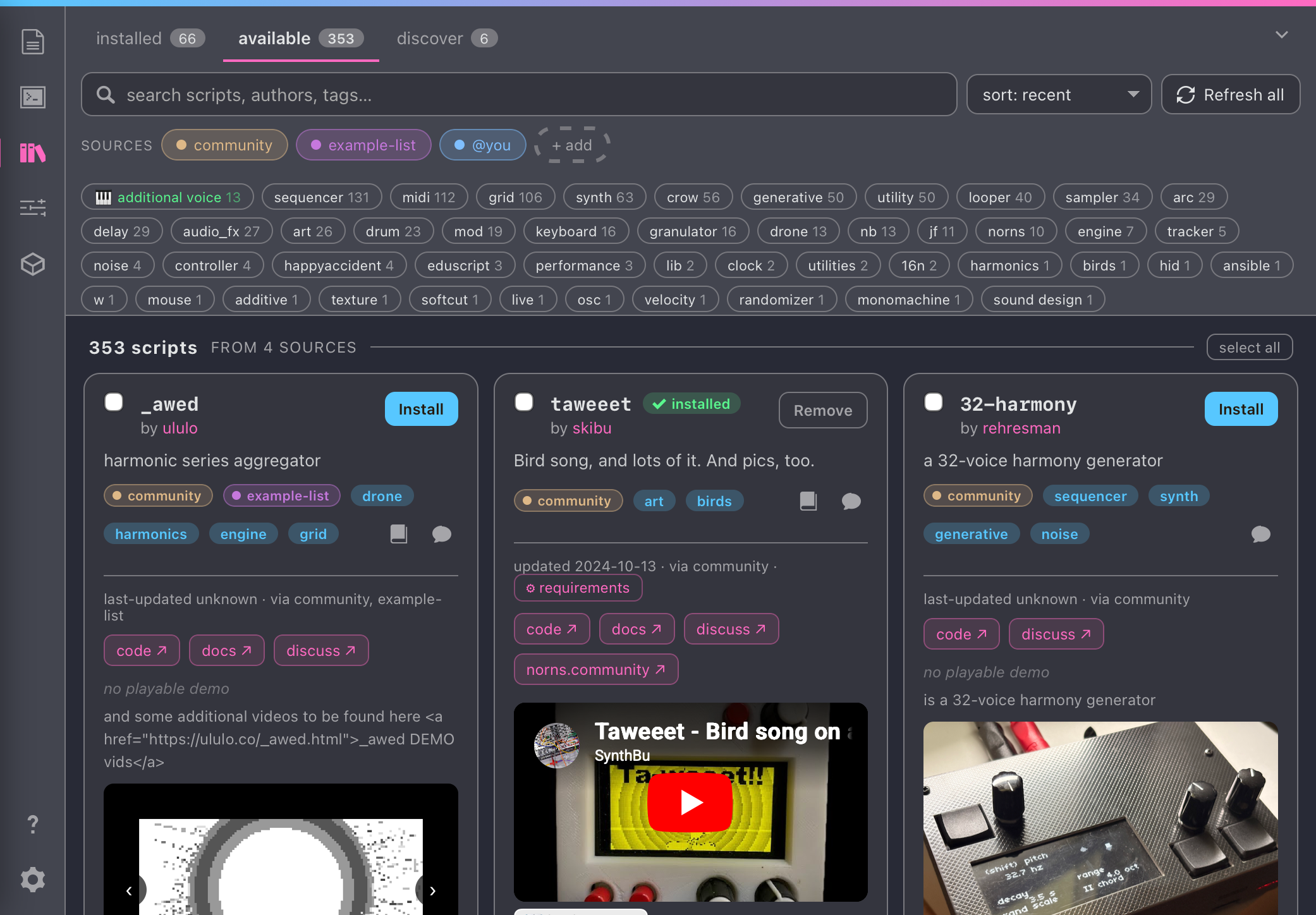
- the whole community catalog (350+), with search, sort, and a multi-select tag filter
- cards pull in the README, screenshots, and embedded demo videos / audio where available (YouTube, Vimeo, SoundCloud)
- bulk install with per-job logs
- optionally, if you supply a GitHub token, ingenue can also:
- find and install public and private scripts in your own GitHub repos
- search across every norns repo on GitHub (not just the catalog), classified
by what the code actually is and badged by facet (
script,mod,library,engine), so mods and shared libraries are first-class. repos already in the catalog or installed are skipped by default. click any author to see everything they've made for norns. - your token stays in your browser's localStorage and is only sent to api.github.com over HTTPS (never to ingenue or any server)
- create it safely: treat the token like a password. prefer a
fine-grained token scoped to
only the repos you need (read-only Contents + Metadata), or a classic
token with the minimum scope —
public_repo+read:userfor public repos, orrepoonly if you need private ones. set a short expiration, and revoke it any time. because it lives in your browser, a narrow, expiring token keeps the blast radius small if it ever leaks. - dependency healing on script install: when a script needs samples or other scripts, ingenue traces the whole chain and runs the installers in a port-tolerant way. if a setup step fails, it can retry on its own without re-cloning.
- if a script installs a library that would conflict with another by name, you get options for how to resolve it (including renaming), instead of the script silently going wrong later
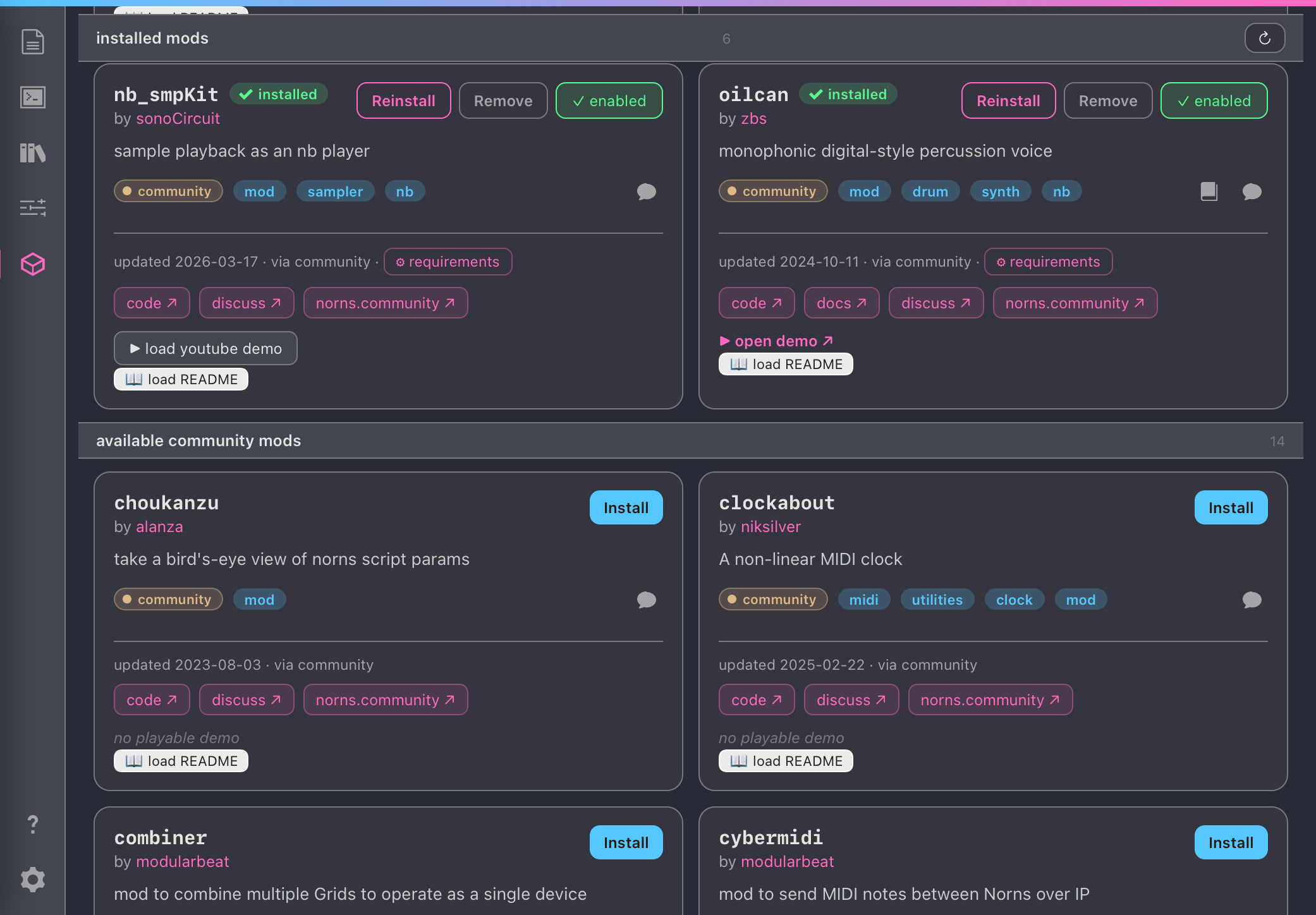
- a mods manager: enable/disable installed mods (with restart reminders) and
install community mods. mods are identified structurally (
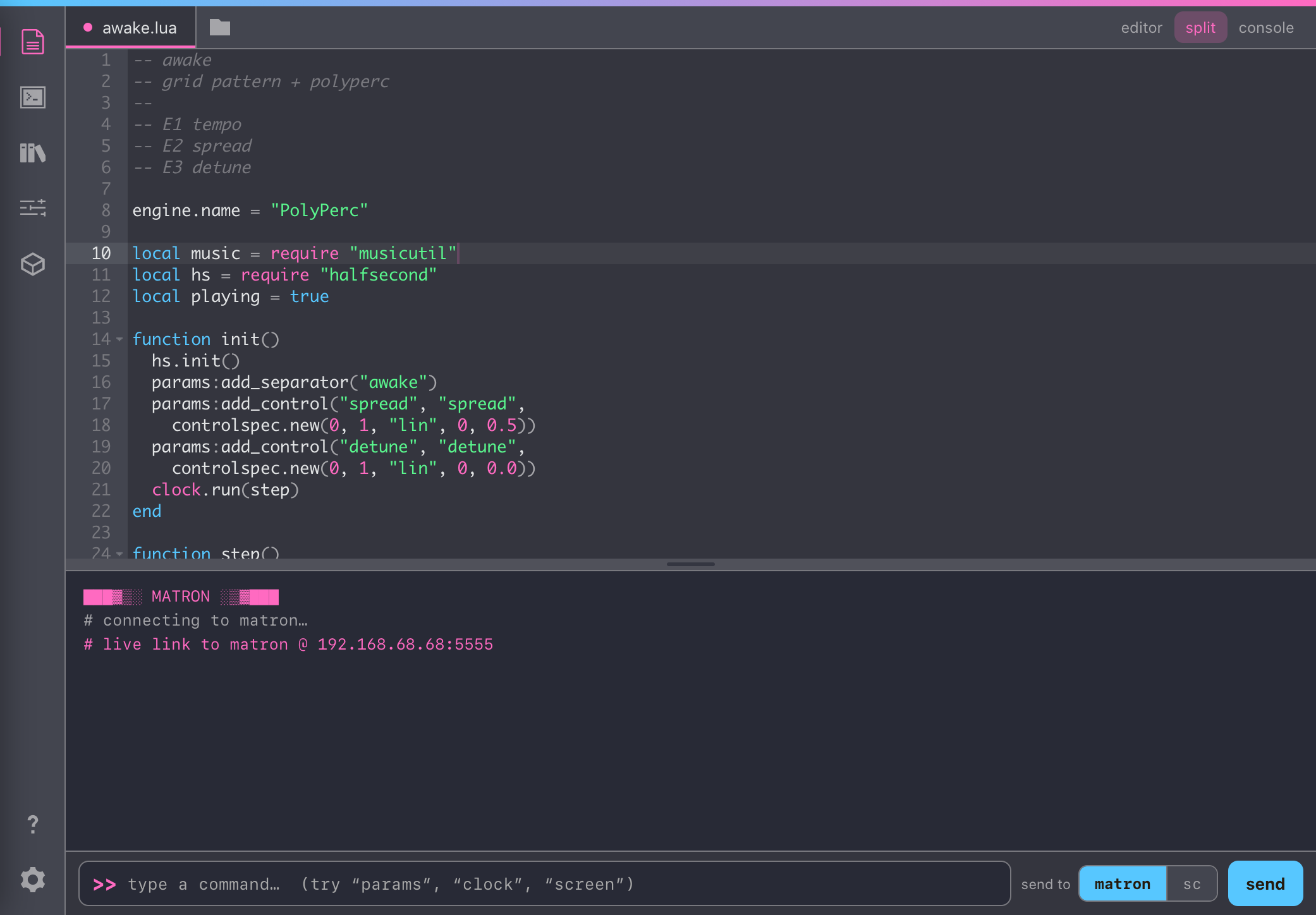
lib/mod.lua) rather than from a hand-tagged list, so they aren't dropped. - a file manager: mkdir, rename, delete, drag-drop upload, scoped to dust
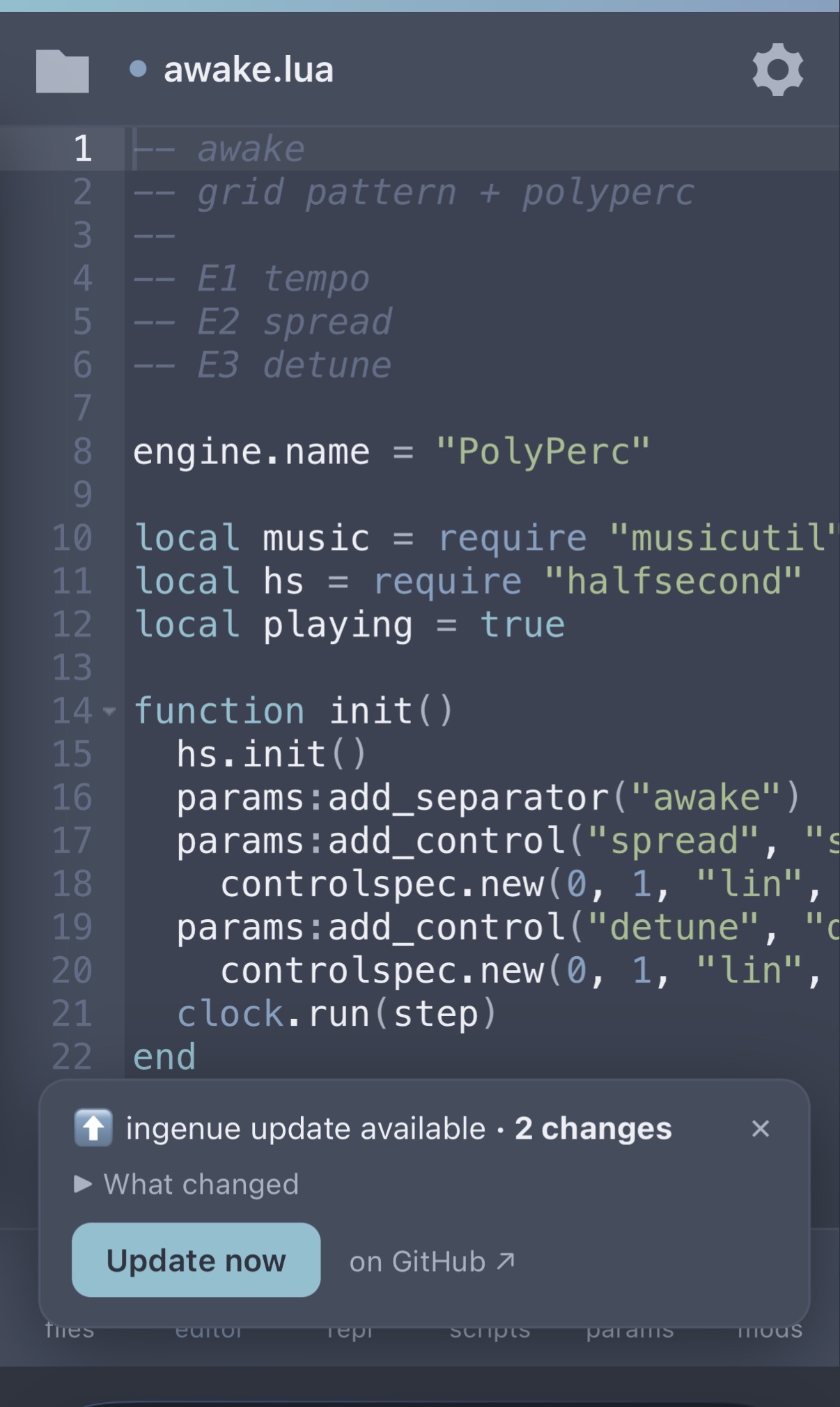
- in-app updates: on load ingenue checks GitHub for a newer build and, if there's one, shows an unobtrusive toast with the changelog and a one-tap update now that pulls and restarts the service for you (no SSH, no re-running the installer)
bonus, for the modern norns porting crowd: on a 64-bit norns the community
SuperCollider plugins ship as 32-bit, so engines load but play silent. ingenue
detects that and offers to install matching 64-bit builds it ships. (more in
DESIGN-NOTES.md.)
gallery
🖥 Desktop
editor + live REPL
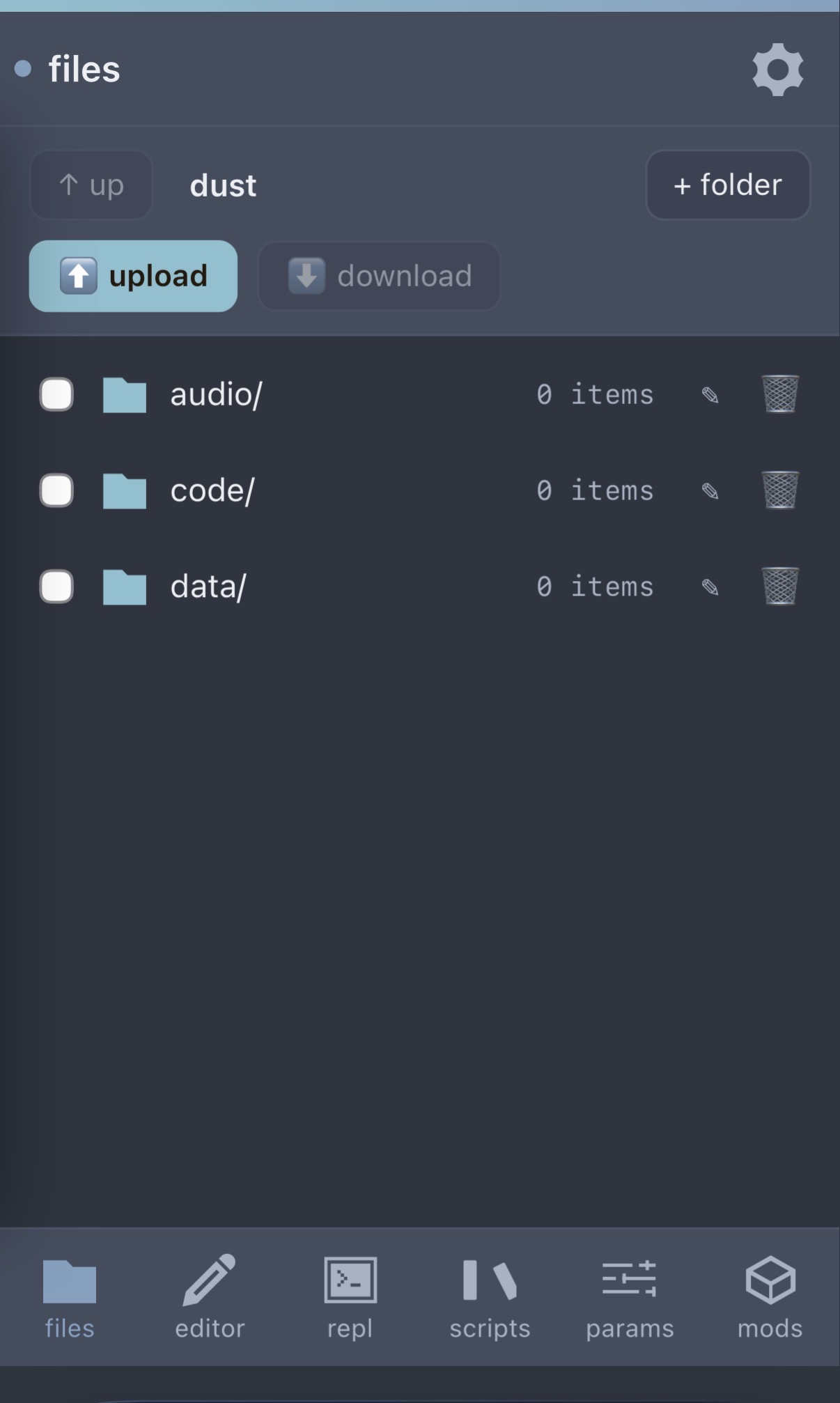
file browser: dust tree, with select, upload, download, mkdir, rename, delete
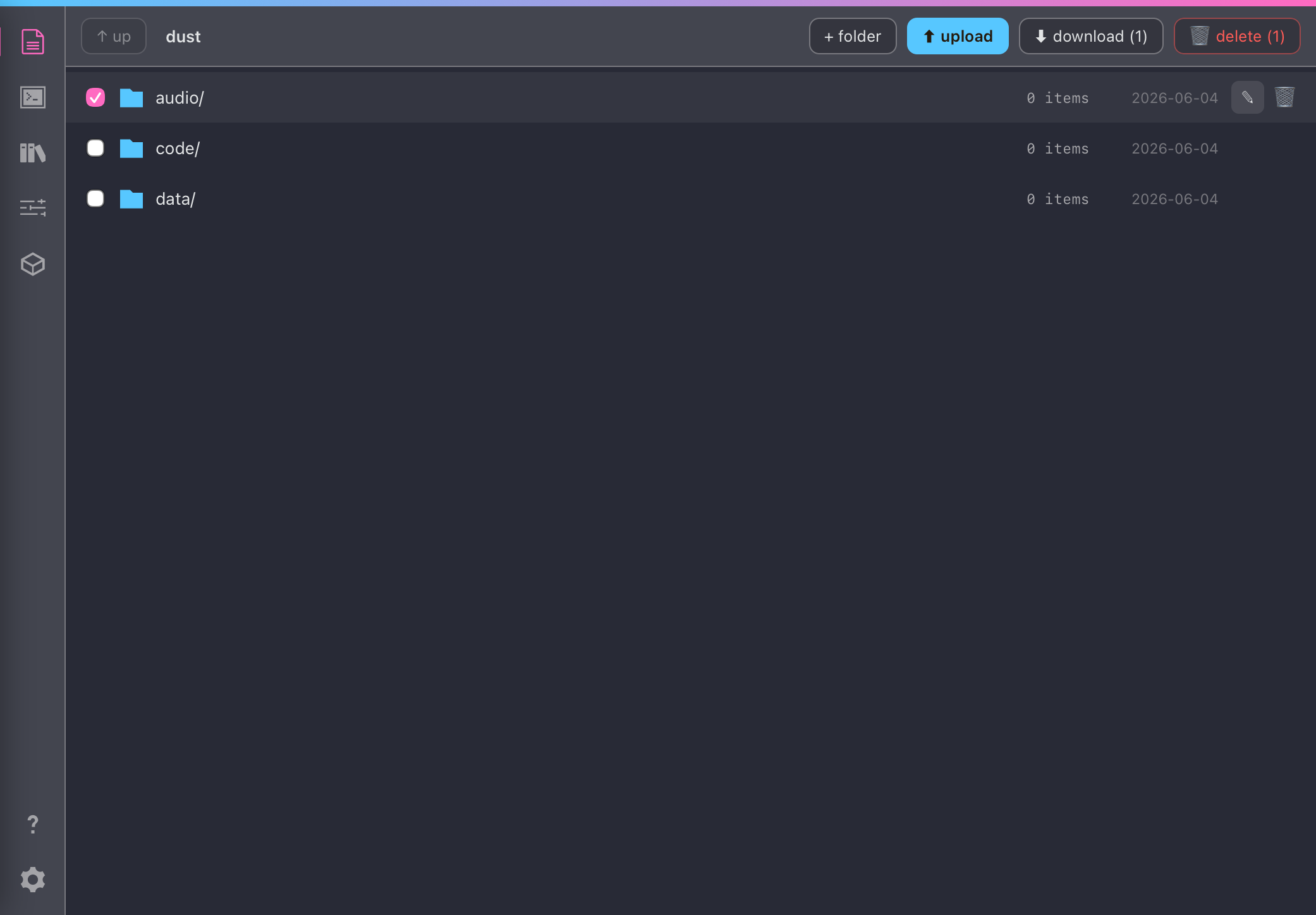PARAMS: nested groups, presets, PSET, note-name sliders
repository manager: tag filter, cards, embedded demos
GitHub discovery: facet-classified results
every norns repo on GitHub, badged by facet (`script` / `mod` / `library` / `engine`) so mods and shared libraries are first-class. already-cataloged or installed repos are skipped by default. click any author to see everything they've made for norns. 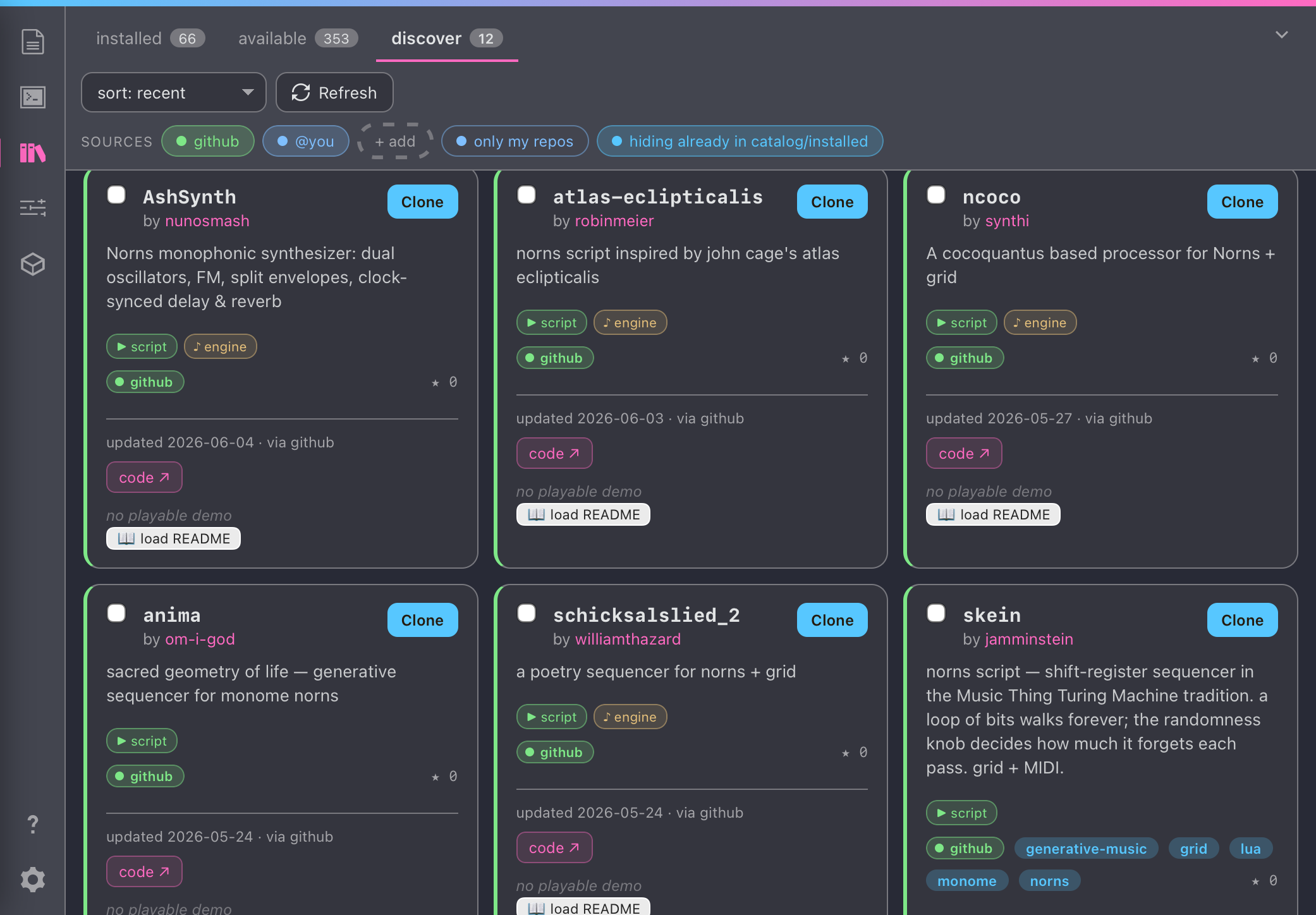mods: installed + installable community mods
📱 Phone
editor (with the in-app update toast)
file browser
matron REPL: live link to the device
PARAMS
scripts: installed / available / discover
configuration + themes
layout
web/is the app:index.html(a single self-contained page),server.py(the on-device API over the dust tree),community.json(the curated catalog, the default source — refreshable on-device and augmentable with any feed URL you add), andvendor/(the bundled 64-bit UGen pack).install.shis the one-line installer above.DESIGN-NOTES.mdcovers what's built and what's on the backlog.
stretch goals (PRs welcome)
- a browser → MIDI bridge for PARAMS, using Web MIDI, so you could map a controller on your computer to the running script's params over the live matron link
- safer wide-range param edits (commit-on-tap for huge integer ranges)
more in DESIGN-NOTES.md.
credits
built for norns and the monome community. 64-bit SuperCollider UGen builds from seajaysec/sc-plugins-arm64.
LLM disclosure
the code for ingenue was written with substantial help from an AI coding assistant (Claude). i directed the design and architecture, set the feature priorities, and did all the testing and verification myself on real norns hardware, as well as on a 64-bit norns OS port.
flagging this plainly so everyone can decide for themselves how they want to engage with it.